World of Warcraft: Forever launches on November 4, 2026 at 3 p.m. Pacific Time, which is midnight on the night of November 4 to 5 in France. This third branch of WoW, which the community called "Classic+", is included in the subscription or game time, with no mandatory purchase apart from the new race. Here is what Bli...
To create an OGame server, one of the most actively updated open-source projects is OGameX, a fan clone written with Laravel and distributed under the MIT license. It installs with Docker in a few commands, but it isn't an official server: the OGame name, the interface and the artwork remain the property of Gameforge. ...
Our selection of 18 addons for a Garry's Mod server covers five roles: administration and data (ULX, AWarn3, bLogs, MySQLOO), protection (gProtect), scenery and building (PermaProps, 3D2D Textscreens, Wiremod, Advanced Duplicator 2, StormFox 2), combat and vehicles (ARC9, LVS, Photon 2) and immersion (PAC3, VManip, a c...
To create a Cyberpunk 2077 server with Open77, you need alpha access, an open2077.net account with a verified email, a license key created in the keymaster, the dedicated server (Windows or Linux) and two open ports: UDP 11778 for the game and TCP 11779 for resources, by default. Cyberpunk 2077 isn't required on the ho...
Open77 is a community-made, unofficial multiplayer mod for Cyberpunk 2077 that lets you play online on community-run dedicated servers. It is in alpha, requires Cyberpunk 2077 version 2.31 with Phantom Liberty on 64-bit Windows, and access is obtained with the /alpha apply command on its Discord. It doesn't offer campa...
Five panels dominate open-source game server hosting: Pterodactyl (the historical standard since 2015), Pelican (a modern Laravel/Filament fork), PufferPanel (the lightest, written in Go), Catalyst (a rethought Rust plus containerd architecture) and Reviactyl (a fork focused on security and performance). Each has its t...
The question "Is Minecraft crossplay?" comes up every week on the forums, almost always with the same disappointment at the end: a PC player installs Java Edition, their console friend launches Minecraft, and nothing connects. The right answer fits in one sentence: yes, Minecraft is crossplay, but only in Bedrock Editi...
You bought Green Hell on Steam, your longtime buddy has the PS5 version, and you figure a co-op survival game in the Amazon would be perfect for your evenings. Except it will never work. Green Hell is not crossplay, and it never has been since its release on September 5, 2019. Creepy Jar has held to that position at ev...
To create a private Agar.io server in 2026, one option is to use OgarII, an open-source server written in Node.js. The project provides a documented installation procedure: install Node.js and a C++11 compiler, download the repository, run npm install, then start the server with node index.js from the cli folder. After...
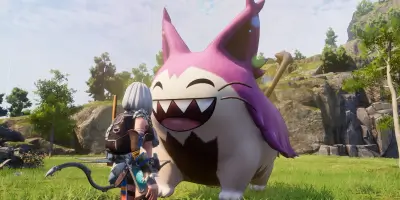
Yes, Palworld has crossplay between Steam, Xbox, PS5 and Mac since the v0.5.0 update in March 2025. The CrossplayPlatforms server setting controls the allowed platforms, with a default value of (Steam,Xbox,PS5,Mac). For a dedicated server to be visible to console players, you have to publish it as a community server us...
Creating a Rust server comes down to four steps: SteamCMD, App ID 258550, a few ports to open and a launch file. And the game isn't slowing down. In August 2026, Rust averaged 99,323 concurrent players on Steam, with a peak of 196,181 according to SteamCharts. That's a lot of players looking for a server to their likin...
Palworld has an addictive gameplay loop, but some comfort limitations end up grating: the map hidden by fog of war, the inventory that overflows after five minutes of gathering, nights so dark you can't see anything, and a building system that refuses to place a wall where you want it. The modding community on Nexus Mo...
You launch your GMOD server, join the game, and every prop is covered in purple and black textures. The floor is a pink checkerboard. The walls display a red "ERROR". Counter-Strike: Source content is missing. It's the number one problem with every new Garry's Mod server, and it's fixed in two minutes once you know whe...
You create a Discord server, invite your first members, and three days later the chat is full of spam, nobody knows which channel to use, and newcomers arrive with no idea what to do. A Discord server without bots is a server you have to moderate by hand around the clock. Bots automate moderation, welcoming, roles, mus...
To create a Palworld dedicated server: SteamCMD (AppID 2394010, anonymous login, free), UDP port 8211, PalWorldSettings.ini for configuration. 32 players max, Steam/Xbox/PS5/Mac crossplay since version 1.0. This guide covers Windows and Linux installation, configuration, crossplay and optimization.
Key takeaways
Th...
You start the server, the first launch takes 15 minutes (shader compilation, don't close the window), and when it's finally ready, no player can connect. The port is TCP instead of UDP. Or you launched with -NoBattlEye to save time, and your friends on PlayStation can't find the server. ARK Survival Ascended is one of ...
You're looking for a stronghold. You've crafted 30 ender pearls, you throw them one by one, and after 20 minutes of walking you realize the stronghold is 3,000 blocks the other way. Or you've been looking for a mushroom biome for two hours with no luck. MC Seed View solves these problems in seconds: you enter your seed...
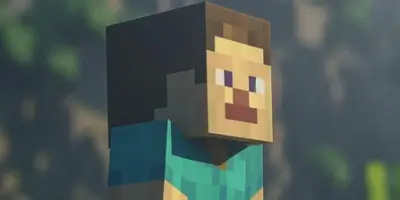
A character with no official in-game name, no story, not a single line of dialogue. And yet he is recognized by 170 million active players, he was played by Jack Black in a film that grossed $955 million at the box office, and he is ranked the best character in Super Smash Bros. Ultimate, to the point of being banned f...
You install Simple Voice Chat on your server, restart, and join the game. The microphone doesn't work. The voice chat icon says "not connected". The problem isn't the mod: it's the port. Simple Voice Chat uses a separate UDP port (24454 by default) that has nothing to do with the standard Minecraft port (25565). If tha...
You set online-mode to false, restart the server, and your cracked-client players connect. Ten minutes later, someone joins with your admin's username, gets OP rights, and destroys the spawn. Allowing cracked versions on a Minecraft server is technically simple: one line in server.properties. The real work starts after...